
Documentation
Send PT 2Firm
Send PT 2Firm
This will simulate 2Firm from external to your.
To simulate send PT 2Firm from Admin UI -> Event Control, then select Send PT 2Firm
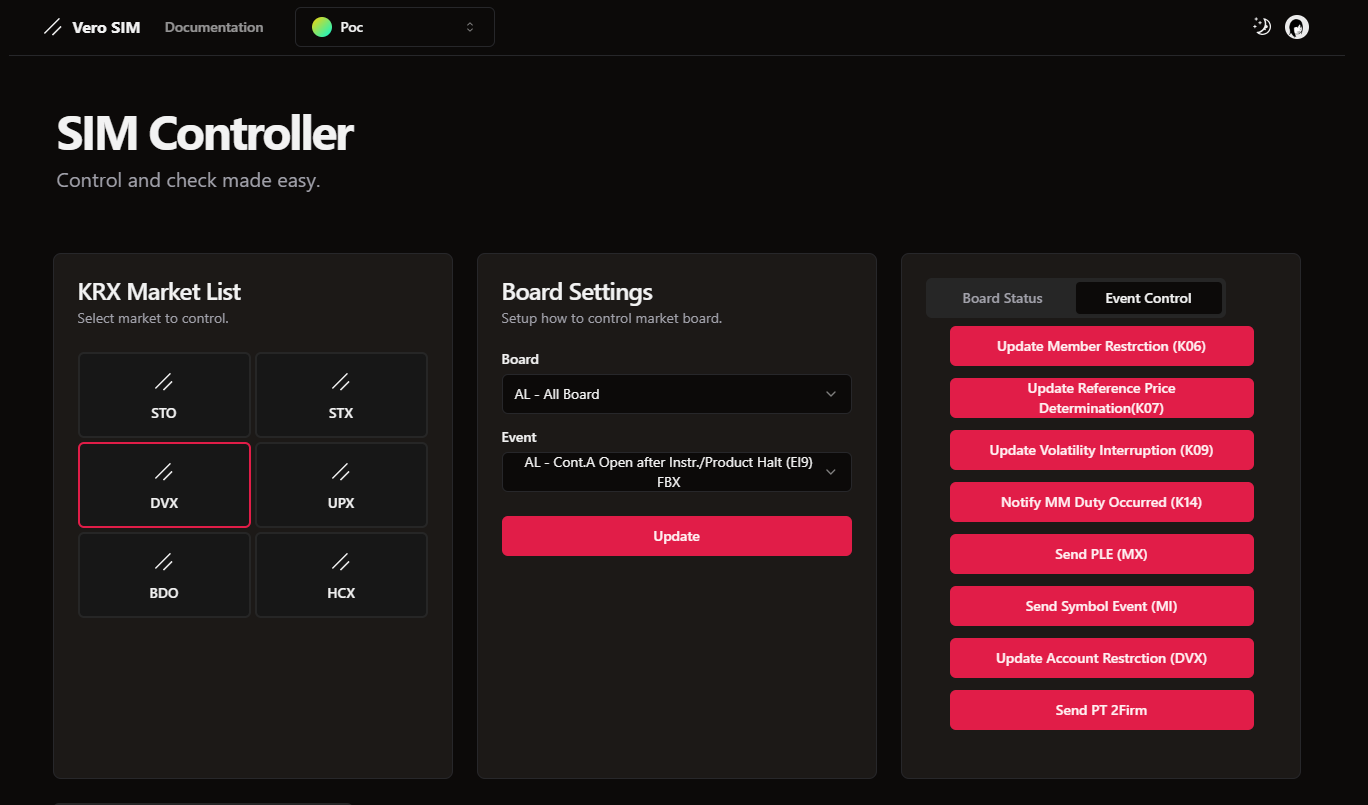
Send PT 2Firm - You are initiator
If you are initiator (the one who create Quote). Just send Quote to these firm and trader ID.
- Firm 999, TraderID 09991 -> Your quote will auto accepted and filled is quote request is valid
- Firm 999, TraderID 09992 -> Your quote will auto rejected by target firm if quote request is valid
- Send with invalid value then you will get the rejection
Send PT 2Firm - You are receiver
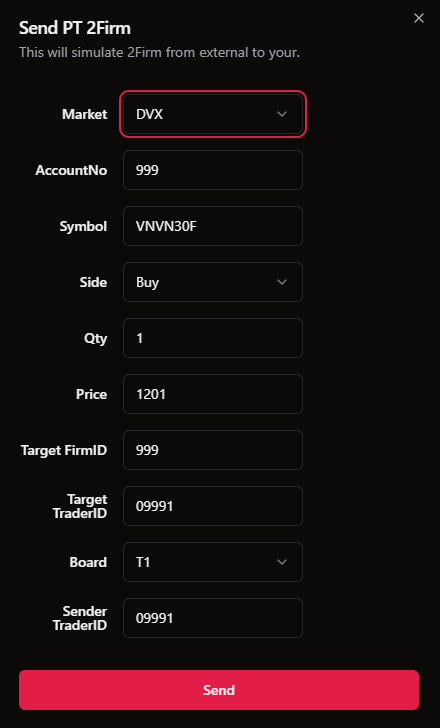
If you are receive Quote from external firm. From Admin UI -> Event Control, then select Send PT 2Firm. Then fill Send PT 2Firm with your target test case. Please note:
- TargetFirmID is the creator ( external firm ) ID.
- TargetTraderID is the creator ( external firm ) TraderID.
- SenderTraderID is the creator sender ID.
- Send with invalid value then you will get the rejection
Foreign Negotiation Classification (FornNegoClassfyCode)
When sending PT2 orders for foreign transactions, the classification codes are determined based on the 4th character of the Account ID:
FornInvestTypeCode:
- Account ID with 4th character = 'F':
FornInvestTypeCode = "10"(Foreign PT) - Account ID with 4th character ≠ 'F':
FornInvestTypeCode = "00"(Domestic PT)
FornNegoClassfyCode (only applies when FornInvestTypeCode = "10"):
- Pattern
xxxFXxxxxx(5th character is 'X')-
FornNegoClassfyCode = "1" -
Meaning: Negotiation between 2 foreign investors
-
FornNegoClassfyCode = "0" -
Meaning: Negotiation between foreign and domestic investor
-
Examples:
// Foreign PT - Between 2 foreign investors
Account ID: "AAAFXBBBBB"
→ FornInvestTypeCode = "10"
→ FornNegoClassfyCode = "1"

// Foreign PT - Foreign vs domestic investor
Account ID: "AAAFABBBBB"
→ FornInvestTypeCode = "10"
→ FornNegoClassfyCode = "0"

// Domestic PT
Account ID: "AAADABBBBB"
→ FornInvestTypeCode = "00"
→ FornNegoClassfyCode = N/A (not applicable)